New customers can be created during order entry.
In the Customer section, switch the toggle to New.
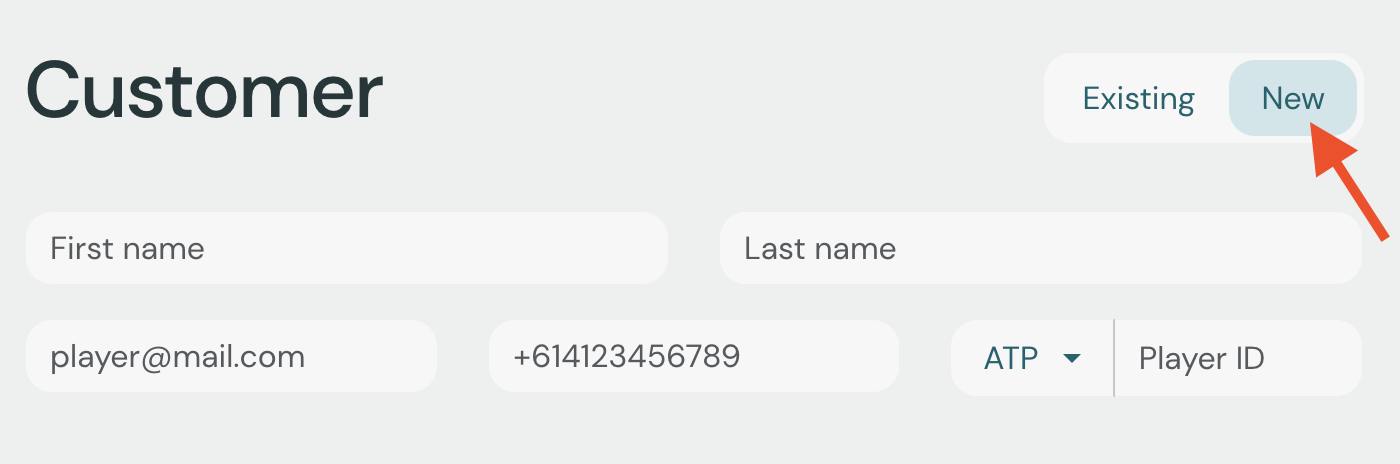
First name and last name are required fields. Additionally, Stringr needs at least one field to uniquely identify a customer, so you must enter at least one of the following: player ID, email address, or phone number.

The customer will be saved when the order is submitted, and you can find the customer using the customer search for future orders.
Only superuser accounts can access this feature.
Admins and stringers can be created from the staff management page of any event.
Select to Events from the main menu.
Click Manage next to the event which the new admin or stringer will be assigned to.
Go to the Staff tab
Click on the search field.
Click Add new user
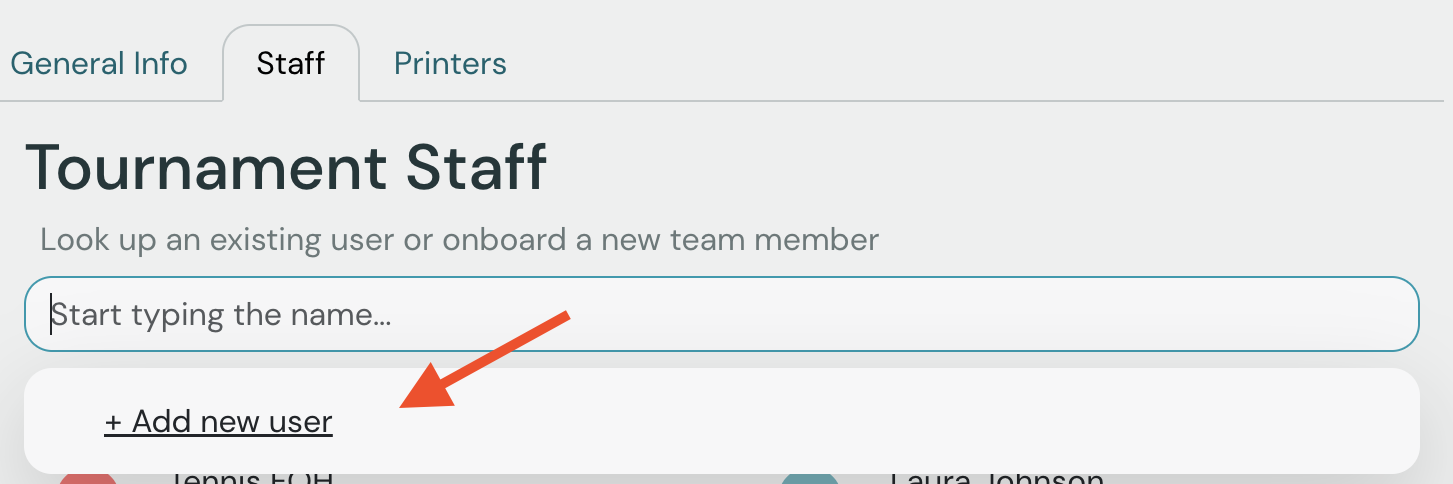
You will be asked to enter the user's name, email, and phone number, as well as select their role (admin or stringer).
The new user will be assigned to the event right away. They will receive an invitation email with a link to set their password.

