On My re-strings page, click Create re-string
Check the tournament name and location at the top of the order form. If the tournament is incorrect, please select the right one on the Events page first.
Add your first racquet by clicking Add racquet. You will be able to increase the quantity of identical racquet restrings in the same order.
Enter your stringing preferences.
Select the model of your racquet. If you cannot find your racquet in the list, you can add it by clicking Add option at the bottom of the list.
The Set the same parameters for all strings toggle is on by default. This means that the string selection, tension, and pre-stretch will be the same for both mains and crosses. Turn off the toggle if you would like to specify different parameters mains and crosses.
Select the strings you want this racquet restrung with. If you are brining your own strings, check the box next to I will bring my own strings - you will only have to pay for labour cost. If you are bringing your own strings and their name is not in the list, you can add them by clicking Add option at the bottom of the list.
Enter the desired tension and pre-stretch percentage. You can choose between kg and lb for the tension field.
Select the desired number of knots.
Select the type of stencil you would like, if any. If you select a stencil, you will need to choose the colour for it as well.
Toggle the Replace overgrip switch if you want your overgrip replaced during the restring.
Add any additional comments, if required.
Use the + and - buttons next to the quantity field to set the number of racquets to be restrung using this configuration. You can adjust this later in the main order form.
Click Add racquet
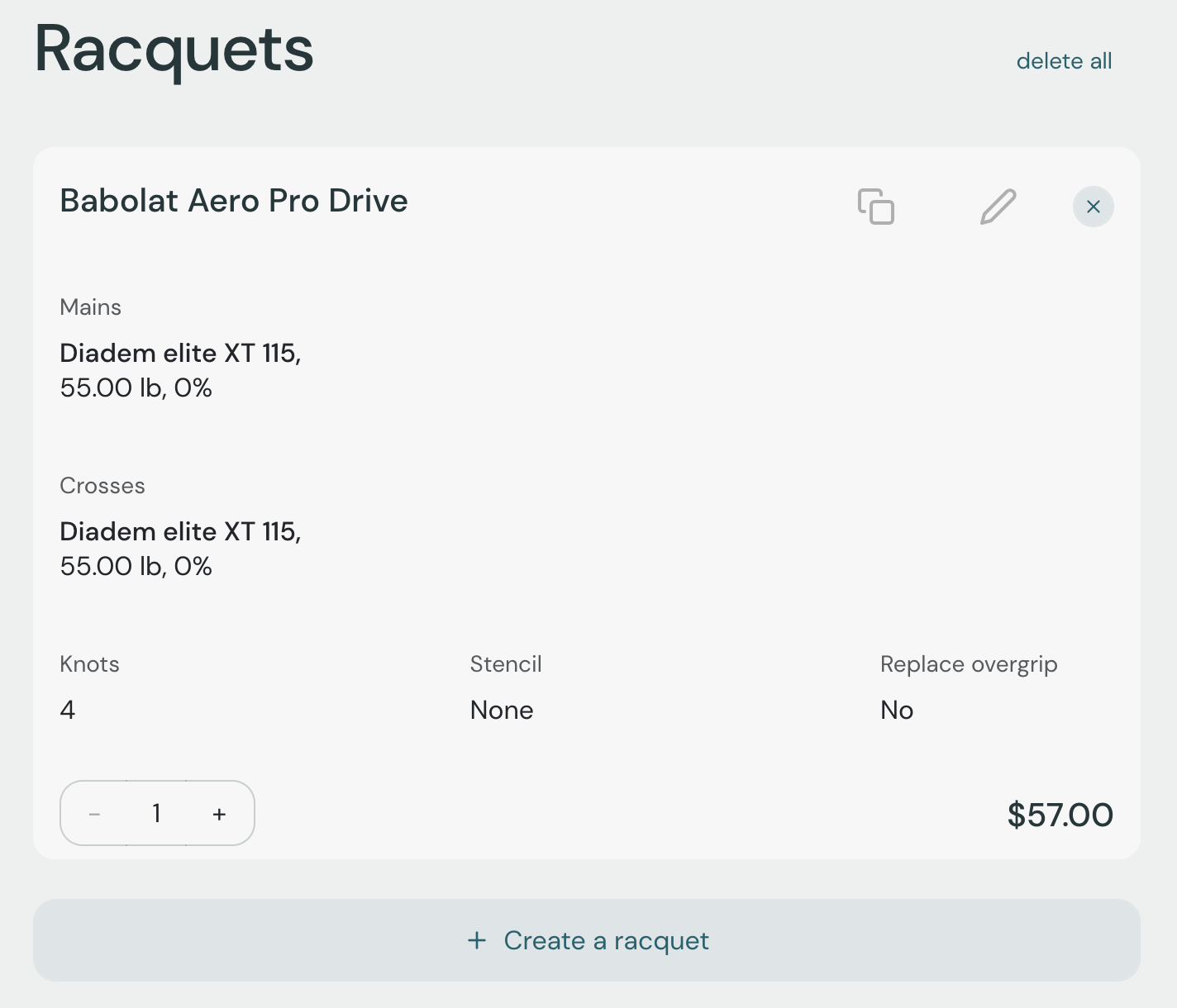
Once you add your first racquet, your racquet list will look similar to the screenshot below. You can:
Increase or decrease the number of racquets with identical stringing preferences
Duplicate the racquet and adjust the preferences for a slightly different configuration
Edit the racquet in case something doesn't look right
Create another racquet from scratch following the steps above
Remove one racquet or remove all and start over
If you have a promo code, enter it in the promo code field and click Apply.
Select the desired pickup date and time. Check the box next to One hour before match to let us know this order should be ready before your match.
Select the desired restring time (optional).
Click Continue. Stringr will validate your order and display the order summary on the checkout page.
Select your payment method here:
Pay online with a credit card, Apple Pay, or Google Pay.
Pay at the store when you drop off or pick up your racquets.
Pay with tournament prize money.
Click Confirm to finalize the order.
You will receive an order confirmation email from Stringr. You can also track your order status in your Stringr account.
